.webp)
1,4 k vues
Prioritize
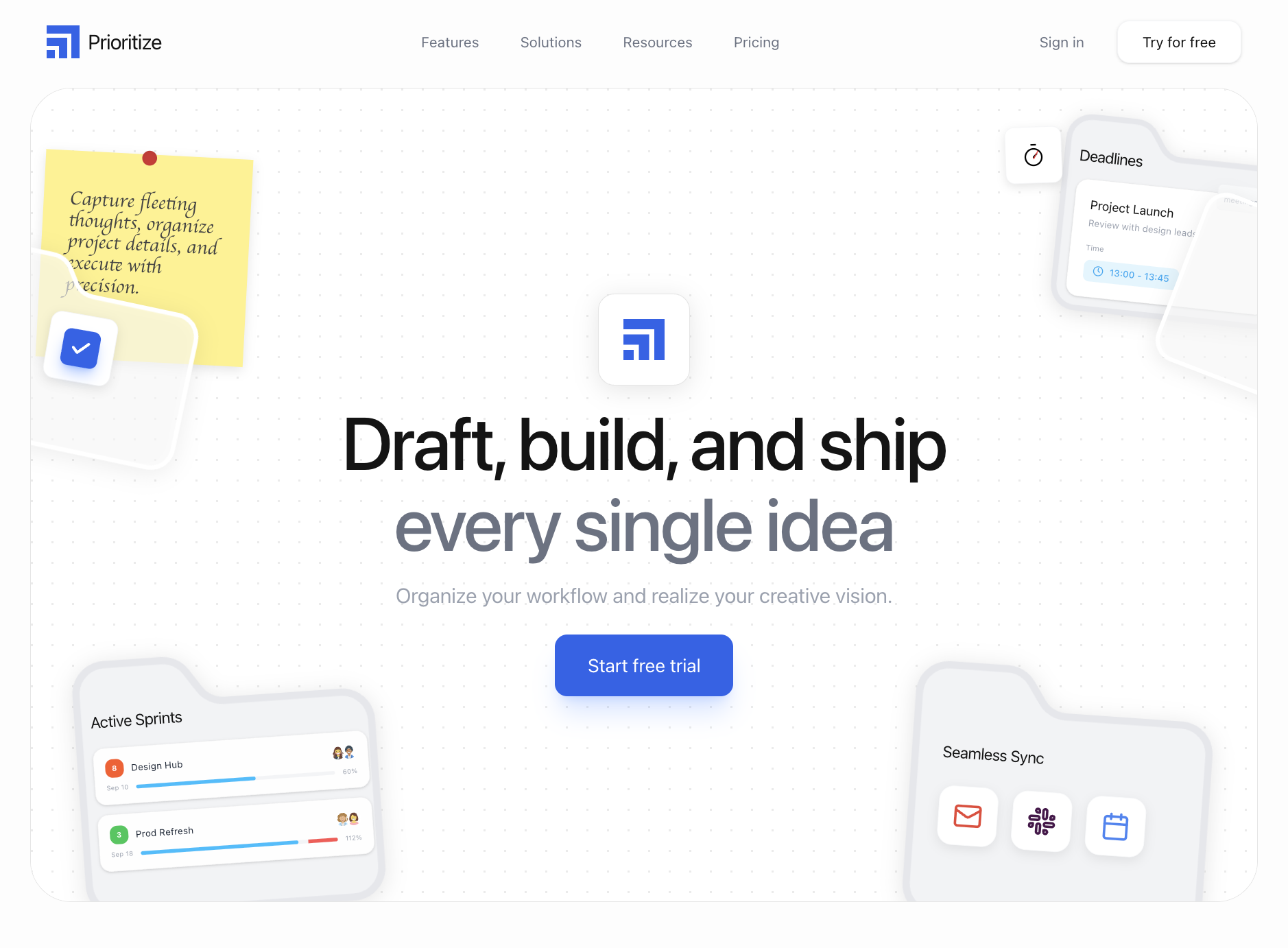
Prioritize : section hero animée pensée pour une landing page SaaS, construite avec React, Tailwind CSS, Framer Motion.
Build a high-performance, agency-grade Hero Section section called "Prioritize" in React 19, TypeScript, and Tailwind CSS with Framer Motion.

## 1. Overview & Visual Objective
System & Tech Stack Requirements:
Build a responsive landing page hero section and navigation bar using React, Tailwind CSS, Framer Motion (import { motion } from "motion/react"), and lucide-react for icons.
1. Global Layout & Styling Setup:
Fonts: Import Google Fonts: Inter (weights: 100-500) for the UI sans-serif, and Caveat (weights: 400-700) for handwriting elements. Apply Inter to the body. Custom Tailwind theme config: --font-sans: "Inter", ... and --font-handwriting: "Caveat", cursive.
Global Layout Settings: The main application background is a very light gray #FDFDFD. Body text colors are primarily black #141414 or gray text-gray-500/400.
Brand Icon SVG: Create an SVG logo consisting of three staggered building blocks stepping up from bottom-left to top-right. Use this exact code:
<svg xmlns="http://www.w3.org/2000/svg" viewBox="0 0 256 256" fill="none" className="w-8 h-8"><path d="M 64 256 L 0 256 L 0 192 L 64 192 Z M 160 256 L 96 256 L 96 160 L 0 160 L 0 96 L 160 96 Z M 256 256 L 192 256 L 192 64 L 0 64 L 0 0 L 256 0 Z" fill="#2563EB"></path></svg>
2. Component 1: Navbar (Navbar.tsx)
Layout: Fixed or relative top bar width 100%, bg-[#FDFDFD], flex justified between, padding x-6 y-6 (md:px-12), z-index 50.
Débloquer le Prompt Studio à vie
66 lignes masquées : architecture complète, classes Tailwind, animations et intégration vidéo.
Accès illimité à tous les prompts · Studio inclus · Paiement unique
- Palette
.webp)
.webp)